Sign up / log in
Go to the Login page. If you don’t have an account yet, click “I don’t have an account” and fill in the required information. Congratulations, your account has been successfully created.
If you already have an account, simply enter your login details. Congratulations, you have successfully logged in.
Buy a Course
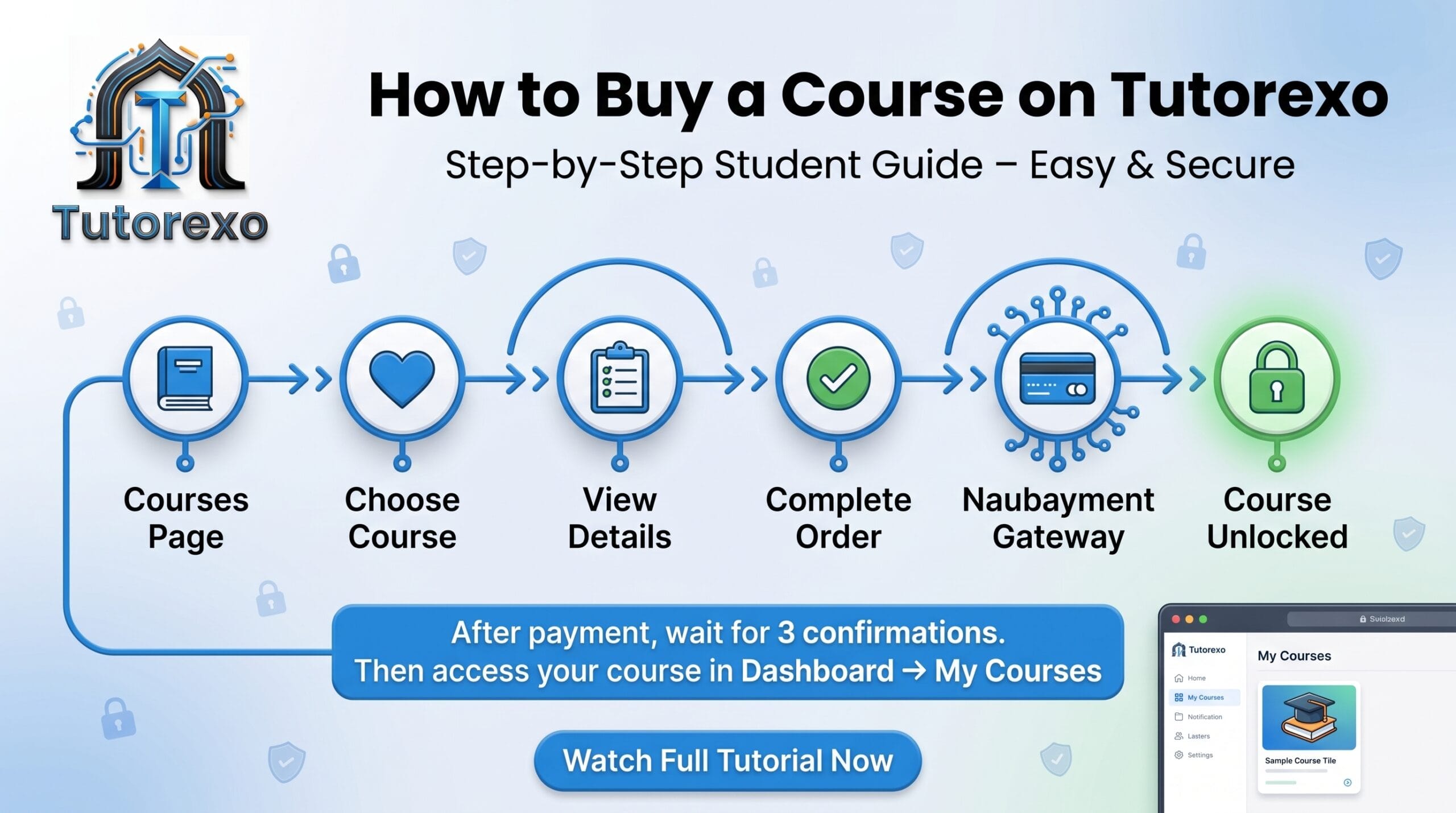
To purchase your course, go to the Courses page from the header and browse for the courses you like. Add your selected courses to the cart, then click Checkout.
Note: If the total price of the courses is lower than the minimum Bitcoin payment amount, which is 0.000263 BTC, you will not be able to pay using Bitcoin. In that case, you can either add more courses to your cart or choose another cryptocurrency for payment.
After clicking Checkout, fill in the required information and complete your payment using NowPayments. Once the payment is completed, your purchased courses will appear in your dashboard under the My Courses section.
Please note that you must wait for your transaction to be confirmed before the courses become available. Your payment requires 3 blockchain confirmations, so it may take some time for the transaction to be fully confirmed.
Become an Instructor
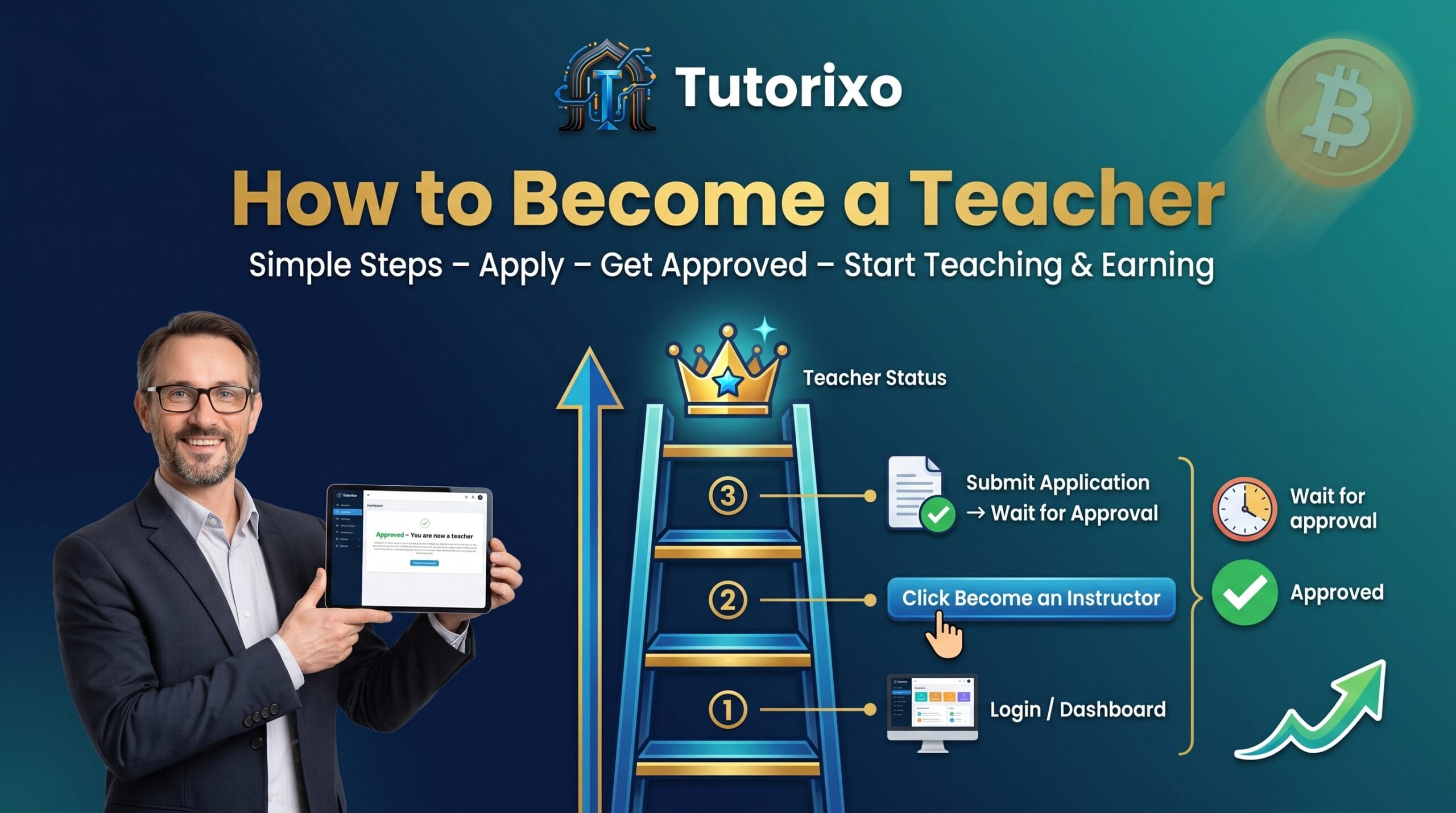
To become an instructor, you first need to log in to your account. Then, go to your dashboard and click the “Become an Instructor” button.
After submitting your request, our team will review and approve it. Congratulations — once approved, you will officially become an instructor and can start teaching and earning money.
Enable Earnings & Open Your Wallet
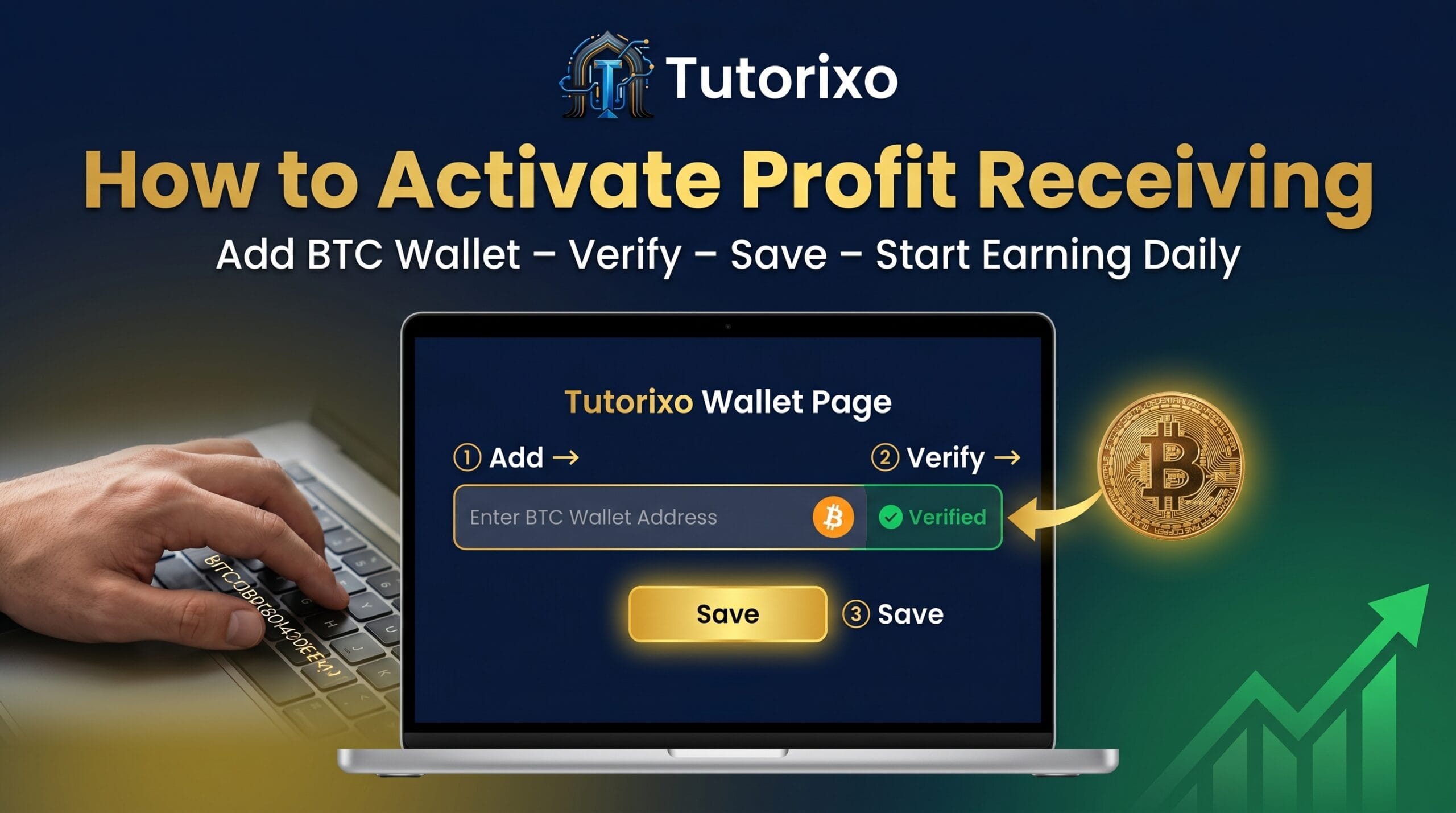
To enable earnings, you first need to open your wallet. You can do this after becoming an instructor.
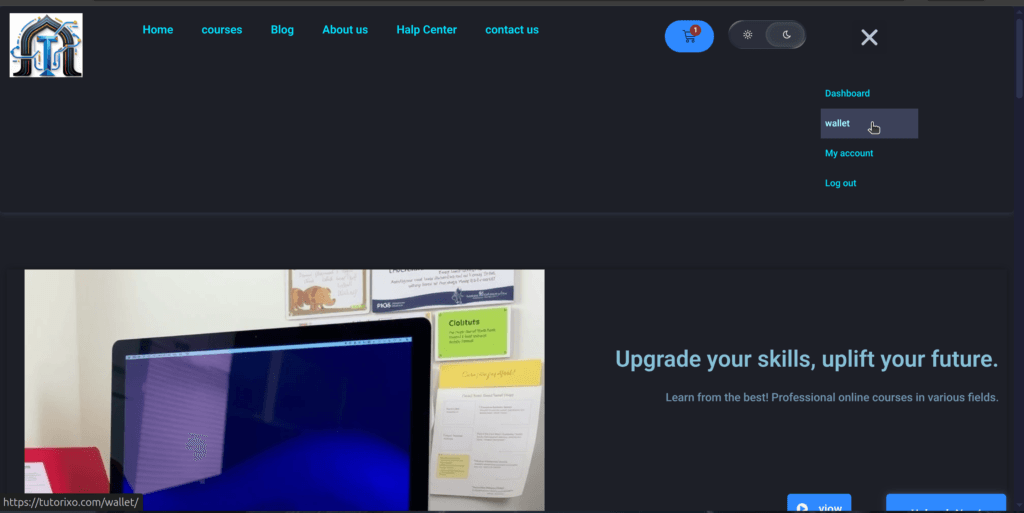
Go to the wallet page:
https://tutorixo.com/wallet/
Then, enter your Bitcoin wallet address only. Other cryptocurrencies are not supported for instructor payouts. All your earnings will be sent exclusively in Bitcoin (BTC).
Congratulations — your wallet is now set up and you are ready to start earning.

Earn Up to 90% From Your Courses
You can earn up to 90% of your course price with a few simple steps.
First, go to the wallet page:
https://tutorixo.com/wallet/
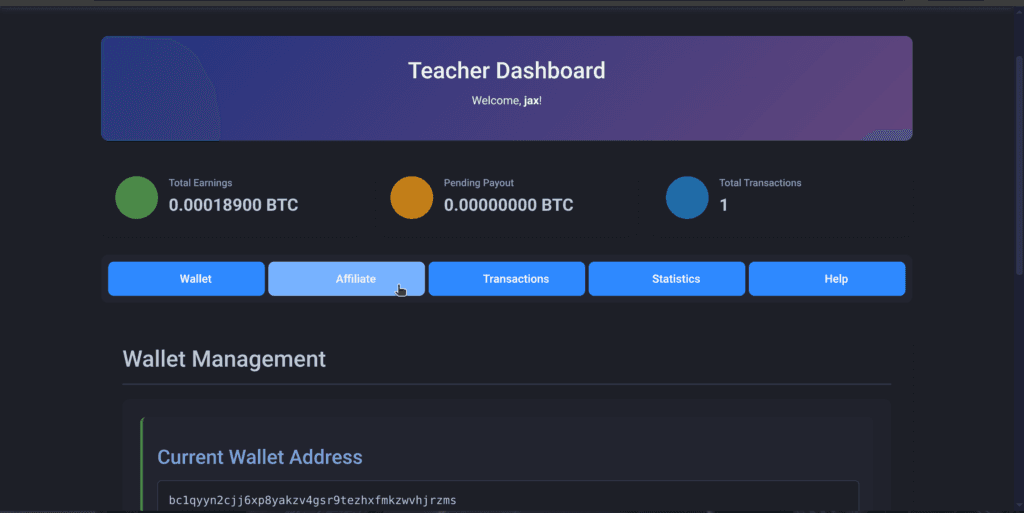
Then open the Affiliate / Referral section. You will find several referral links there:
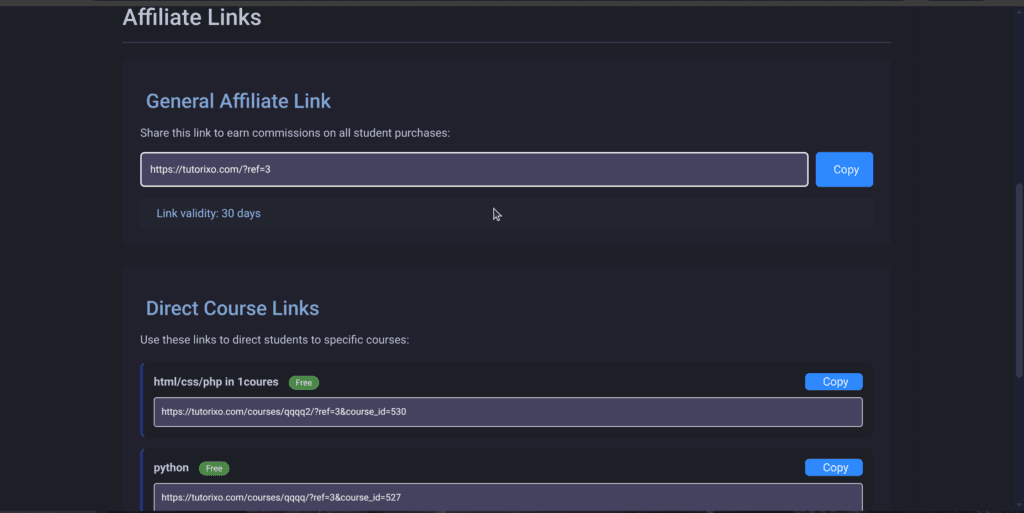
The first link is your platform referral link. If someone joins through your link and purchases a course that belongs to another instructor, you will earn 10% commission from that course sale.
You will also find a direct referral link for your own course. If someone purchases your course using that direct link, you can earn up to 90% of the course price.
In both cases, you are earning money.
After that, share your referral links on your social media pages, websites, or directly with your students. Anyone who purchases through your links will generate earnings for you:
10% commission for other instructors’ courses.
Up to 90% earnings for your own courses.
This is how you can maximize your profits and earn up to 90% from your course sales.
1- Log in and go to your wallet
2- Go to the referral tab
3- Copy the course link or the platform’s full referral link
4- Share the link on your social media accounts
Create a Course
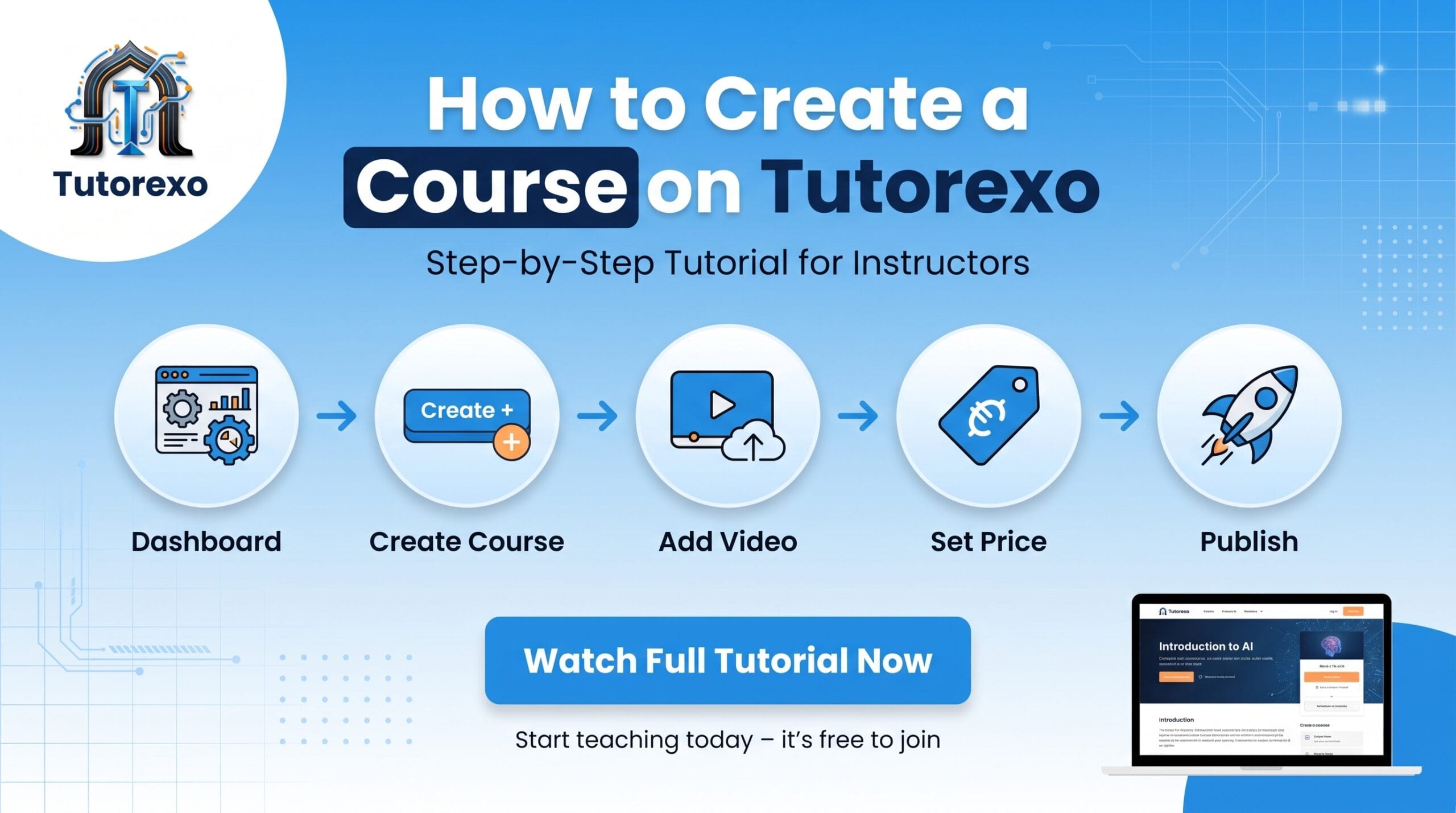
To create your first course, you need to log in to your account and go to the Dashboard. Then click the Create Course button to open the course builder.
Start by entering your course details, including:
Course title
Course description
Course thumbnail image
Introductory / preview video
Course price
Publishing settings
Q&A settings
Course difficulty level
After that, move to the next section from the top menu and begin creating your course structure. Add chapters or sections, then add lessons inside each section. For every lesson, you can add:
Lesson title
Lesson description
Lesson image
Lesson video
Continue creating the rest of your lessons in the same way.
Before publishing the course, go to the final setup section where you can add:
Course summary
Total course hours
What students will learn
Required tools or prerequisites
Target audience for the course
You can also upload additional course materials such as files and resources.
Finally, click the Publish button. Congratulations — your first course has now been successfully published.
Platform Instructions
By continuing to use our platform, you agree to all platform policies, rules, and terms & conditions.
Please review our Privacy Policy and Terms & Conditions here:
https://tutorixo.com/legal-policies/
All users are expected to respect the platform guidelines and use the services responsibly. Any violation of the platform rules may result in restrictions or account suspension.